Your first 7 days are killing your support team. Here's how to fix it without hiring more agents.
Your New Users Are Drowning and So Is Your Support Team
The first 7 days after signup are when SaaS products lose the most users and when support teams are most overwhelmed. New users generate 3–5x more support tickets than established users. They're learning the product, hitting unfamiliar workflows, and encountering configuration issues for the first time.
Here's the frustrating part: most of these are Tier 1 tickets. The answers already exist in your documentation. Users just can't find them fast enough.
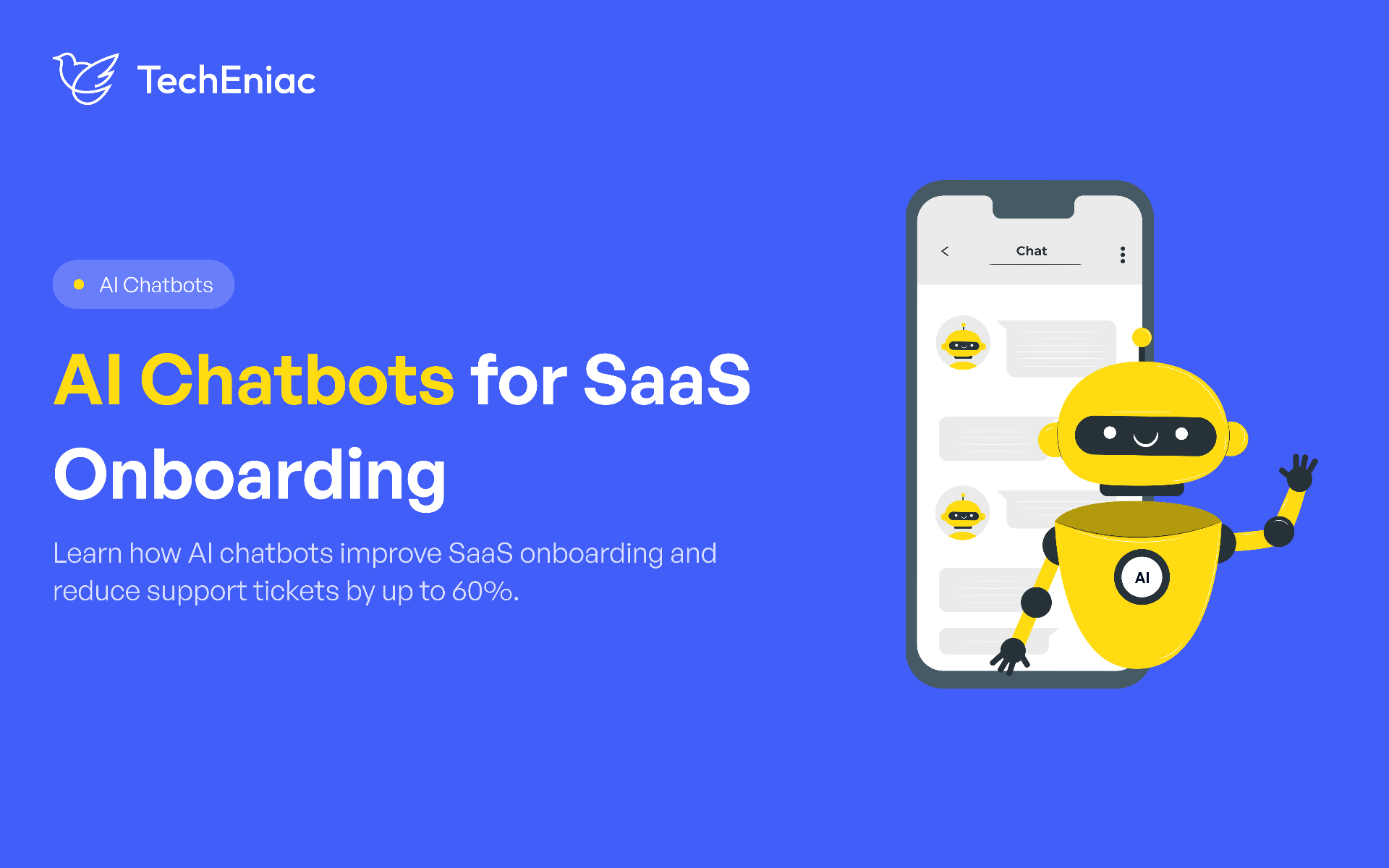
An AI chatbot trained on your product documentation can intercept 60% of these tickets before they reach your support queue. Not by deflecting users with "search our help center" links by actually answering their questions with specific, contextual guidance drawn from your own docs.
What you'll learn
Why onboarding generates the most support tickets
How AI onboarding chatbots actually work (simple version)
What to put in the knowledge base first
Proactive vs reactive conversation design
4 metrics that prove ROI
Common mistakes to avoid
How AI Onboarding Chatbots Work The Simple Version
The architecture is straightforward:
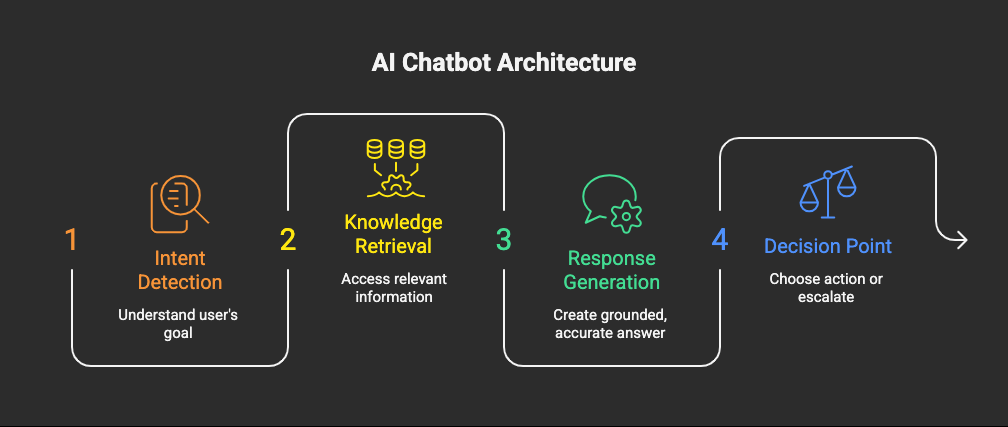
No internet knowledge. No hallucinated answers. Every response comes from your verified documentation with a source link so users can explore further.
What makes onboarding chatbots different from generic support bots: Context awareness. The chatbot knows the user signed up 2 days ago. Knows they haven't completed setup. Knows they're on the free plan. This context shapes every answer specific to where the user actually is, not generic help.
What to Put in Your Knowledge Base First
Don't try to cover everything. Start with the content that addresses your top 20 onboarding questions.
How to find them:
Pull your support tickets from the last 6 months
Filter for tickets created within 7 days of signup
Identify the 20 most common questions
These 20 questions typically represent 60–70% of your onboarding ticket volume. Solve these first everything else can wait.
Common categories:
Account setup configuration steps, team invitations, initial settings.
Integrations connecting third-party tools, API setup, authentication issues.
First-time usage "how do I do X?" for core features.
Billing plan comparisons, upgrade process, payment questions.
Data import migration steps, format requirements, common errors.
For each category, your knowledge base should include step-by-step instructions, common error messages with solutions, and links to video tutorials where available.
Key takeaway: 20 well-documented answers will handle 60–70% of onboarding tickets. Don't wait for a complete knowledge base to launch.
Proactive, Not Reactive: Conversation Design That Prevents Tickets
Most chatbots wait for users to ask questions. The best onboarding chatbots don't wait they anticipate.
Proactive triggers based on user behaviour:
User hasn't connected their first integration after 24 hours chatbot offers integration help.
User has visited the billing page 3 times without upgrading chatbot asks if they have plan questions.
User started a workflow but abandoned it chatbot offers to walk them through it.
User hasn't logged in for 48 hours after signup chatbot sends a re-engagement message.
This proactive model catches problems before they become support tickets. The user gets help at the moment of friction not 4 hours later when a human agent responds.
Tone matters. New users are often frustrated. They chose your product to solve a problem and the onboarding process is a barrier, not a feature. The chatbot should acknowledge that friction and help users get past it as quickly as possible helpful without being patronising.
Key takeaway: Reactive chatbots reduce tickets. Proactive chatbots prevent them.
Signs Your SaaS Product Needs an Onboarding Chatbot
Not every product needs one. But if these sound familiar, the ROI is likely immediate:
40%+ of support tickets come from users in their first 7 days
Onboarding completion rate is below 50%
Time-to-value is longer than your competitors
Support team spends most of their day answering the same 20 questions
Free-to-paid conversion is suffering because users don't get to the "aha moment" fast enough
If three or more of these describe your situation, an onboarding chatbot will pay for itself within 3–4 months.
4 Metrics That Prove Onboarding Chatbot ROI
Don't measure activity. Measure outcomes.
1. Ticket deflection rate
What percentage of onboarding tickets are now handled by the chatbot? → Target: 40–60% in Month 1. 60–70% by Month 3.
2. Time-to-value
How quickly do new users reach their first meaningful action after signup? → Target: 30–50% reduction.
3. Onboarding completion rate
What percentage of users complete setup within 7 days? → Target: 15–25% improvement.
4. User satisfaction
CSAT for chatbot interactions should match or exceed human support. → Target: 4.0/5 or higher.
Key takeaway: If your chatbot is deflecting tickets but CSAT is dropping, something is wrong. Deflection without resolution isn't success it's hiding the problem.
Common Mistakes That Kill Onboarding Chatbots
Launching with 200 intents instead of 20
Breadth kills accuracy. A chatbot that answers 20 questions well beats one that answers 200 poorly. Start focused. Expand from real data.
Training on generic content instead of your own docs
Internet-trained chatbots give generic answers. Your users want answers about your product, your UI, your workflows. RAG grounding on your own documentation is non-negotiable.
No escalation path
When the chatbot can't help, users must reach a human instantly with full conversation context. A chatbot that says "I can't help with that" and offers no next step is worse than no chatbot at all.
Set-and-forget after launch
The chatbot improves from real usage. Queries it can't answer reveal knowledge gaps. User feedback signals reveal accuracy issues. Plan for monthly knowledge base updates and quarterly accuracy reviews.
Measuring deflection instead of resolution
Same mistake as generic chatbots if users contact support after the chatbot "handled" their query, it wasn't handled. Track whether the issue was actually resolved.
Implementation: Timeline, Cost, and ROI
Build timeline: 6–8 weeks for a focused onboarding chatbot with RAG-grounded responses.
What's included:
Document ingestion and RAG pipeline setup
Conversation design for 20 core onboarding intents
Proactive trigger configuration
Web chat widget deployment
Basic analytics and feedback tracking
Investment: $20,000–$35,000
Expected ROI timeline: Positive within 3–4 months through reduced support headcount or redirected support time to higher-value activities.
The path to 60% automation:
Month 1: Launch with top 20 questions. Measure deflection and resolution rates. Identify gaps.
Month 2: Expand knowledge base based on questions the chatbot couldn't answer. Refine accuracy.
Month 3: Target 60% onboarding query resolution with 90%+ accuracy. Evaluate expansion to post-onboarding support.
The Bottom Line
Your first 7 days are your highest-risk window. New users are confused, impatient, and one bad experience away from churning.
An AI onboarding chatbot doesn't just reduce support tickets. It accelerates time-to-value, improves onboarding completion, and gives every new user a knowledgeable guide available 24/7, trained on your documentation, aware of their context, and honest about its limits.
Measure for 30 days. Expand from there.
The users you lose in the first 7 days aren't leaving because your product is bad. They're leaving because they couldn't figure it out fast enough. Fix that and retention follows.
Want to know how many of your onboarding tickets an AI chatbot could handle? Book a call with TechEniac. We'll analyse your support data and estimate the impact before you build anything.
Frequently Asked Questions
Will users prefer a chatbot over human support for onboarding questions?
For routine questions yes. Users want instant answers at 2 AM, not a ticket response in 4 hours. For complex issues requiring judgment, they'll want a human. Design the chatbot to handle the 60% that's routine and escalate the 40% that needs expertise. The best experience is when users don't have to choose the chatbot resolves what it can and routes seamlessly when it can't.
How do I keep the knowledge base current as my product evolves?
Integrate the chatbot's RAG pipeline with your documentation CMS. When a help article is updated, the knowledge base re-indexes automatically. For fast-changing products, webhook-triggered re-indexing processes updates within hours. For stable features, weekly batch re-indexing is sufficient. The chatbot is only as accurate as the documentation behind it.
Can the chatbot personalise responses based on the user's plan or setup stage?
Yes. Context-aware onboarding chatbots access user metadata signup date, plan type, setup completion status, feature usage and tailor responses accordingly. A user on the free plan asking about an enterprise feature gets a different response than an enterprise user asking the same question. Personalisation is what separates an AI chatbot from a search bar.