Quick Summary
Successful AI products often start by solving one specific problem well, then expand based on real user feedback. An AI MVP helps founders test that first use case before investing in a full product. A focused AI MVP typically costs $15,000 to $70,000 and takes around 8 to 12 weeks to build.
Key Takeaways
AI MVP examples follow one pattern: a single job, a simple interface and a quick way to check demand before heavy building.
A minimum viable AI product must prove the answers are right and trusted, so it needs a test set and a review step.
Essential AI MVP features are one core workflow, a test dataset, a feedback option, cost tracking and human review that fits the risk.
Wrong answers need a plan from day one: show sources, allow "I don't know" and hand off to a person when needed.
AI MVP development cost usually falls between $15,000 and $70,000, and the AI MVP development process takes about 8 to 12 weeks.
What Is an AI MVP
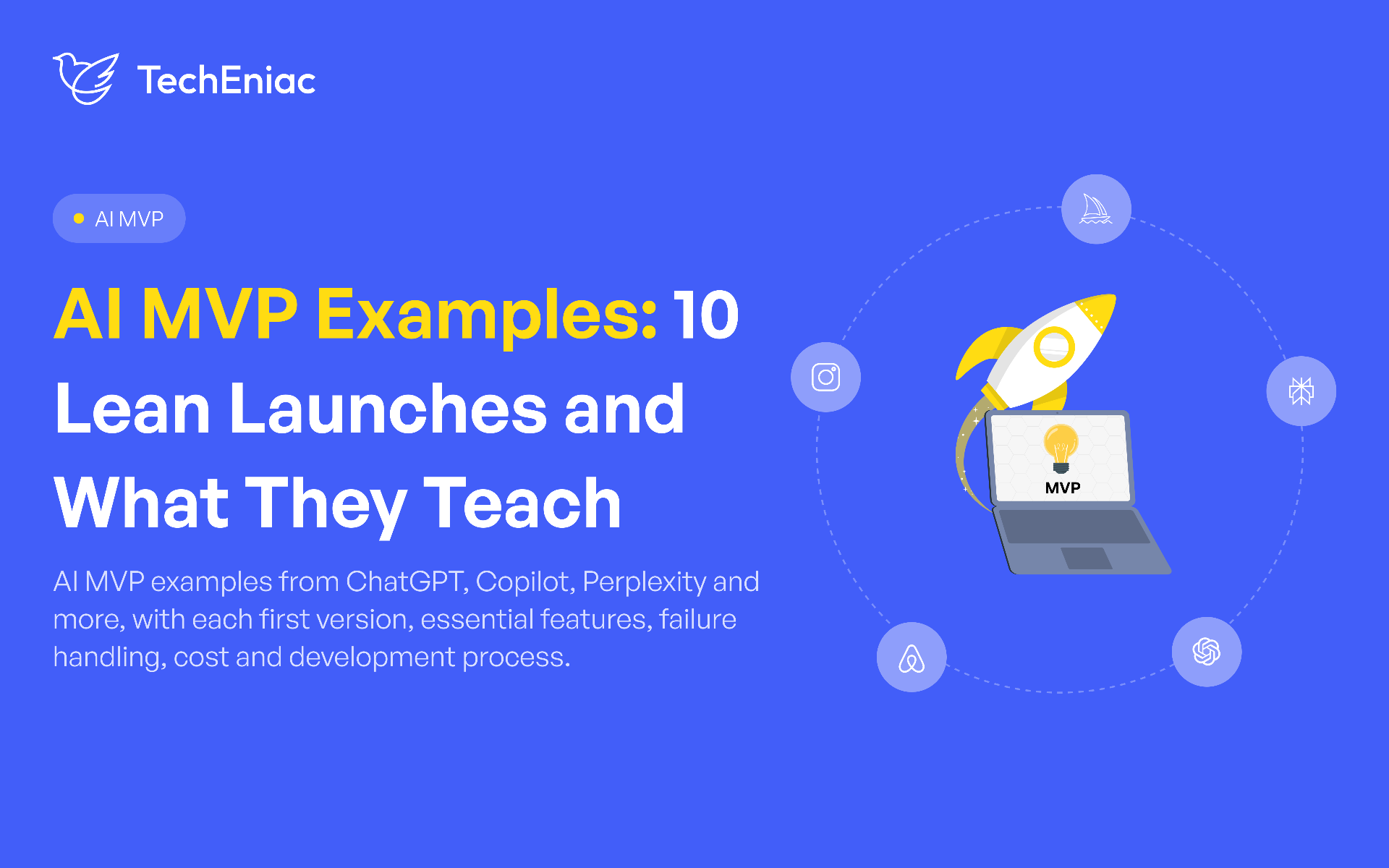
A lot of AI projects stall because the first version tries to do too much. The launches below did the opposite. A chat box, a Discord bot, a demo video and a two-page website were each enough to find out if people wanted the product. Six are AI products. Four are older, classic MVPs that still teach good habits.
An MVP (Minimum Viable Product) in AI is the simplest, working version of an artificial intelligence-powered application that contains only core features to test market demand, prove technical feasibility, and gather real user feedback.
A normal MVP asks if people will use a workflow. An AI MVP asks something harder. Do people trust the answer enough to rely on it, and will they pay for it?
Area | Normal MVP | AI MVP |
|---|---|---|
Main question | Will people use this workflow? | Will people trust and pay for the AI result? |
What gets tested | Screens and steps | Data, answer accuracy and trust in the automation |
Main risk | Low interest | Wrong answers and a cost on every request |
Quality check | User feedback | User feedback plus a fixed set of test questions |
This is what AI product validation means: proving there is demand for the AI result before paying for custom engineering. Product market fit problems are a major reason failed startups give, according to CB Insights' failure analysis. The guide on how an AI SaaS MVP differs from a full product explains what to build once the MVP works.
6 AI MVP Examples and What Each Launched With
These six are AI launches with a clear first version. Each one started small and kept the job narrow.
1. ChatGPT
Before ChatGPT, large language models were mostly something developers used through code. OpenAI changed that on November 30, 2022, with a plain chat window running GPT-3.5. That was the whole product. Plugins, file uploads and paid plans came later.
OpenAI also said openly that the tool could give answers that sound right but are wrong. Usage grew within days, and real conversations showed where it failed. The takeaway for an AI team is to state what the product gets wrong, then let early users find the mistakes. Each one becomes a test case.
2. GitHub Copilot
GitHub announced Copilot on June 29, 2021, as a technical preview for a limited group. It worked in one editor, Visual Studio Code, and did one thing: suggest the next lines of code. Other editors followed in October 2021, and a paid plan arrived in June 2022.
The clever part is how it measures usefulness. Each time a developer accepts or rejects a suggestion, that choice is a signal. The review step and the feedback are the same click. The takeaway is to let users accept or reject each result.
3. Midjourney
Midjourney had no website or app when its open beta started on July 12, 2022. It lived inside Discord. A user typed the /imagine command with a prompt, got four images back and picked one to enlarge. A web version only arrived in August 2024.
Using Discord meant the team did not have to build logins or an interface. It could spend its time on image quality, and its audience was already on the platform. The takeaway is to borrow an interface people already use.
4. Perplexity
A normal search engine gives a list of links and leaves the reader to find the answer. Perplexity launched on December 7, 2022, with a search box that returned a short-written answer and showed the sources behind it. It was free to use, with a paid tier added on top. Mobile apps and a browser extension came later.
The sources do two jobs. They build trust, and they let a reader catch a wrong answer fast. The takeaway is to show where an answer came from.
5. Khanmigo
Private tutoring helps students, but schools cannot give it to each learner. Khan Academy introduced Khanmigo on March 14, 2023, built on GPT-4 and open to limited users at first. It was designed to guide students with questions instead of handing over answers, and teachers stayed involved. A writing coach arrived in November 2023 and free teacher tools in August 2024.
Schools tested it on real classwork, and it was not perfect. A Wall Street Journal test in February 2024 found basic calculation errors. The takeaway is that the AI's job should match the risk, and math answers need their own checks.
6. Duolingo Max
Language learners often have no one to practice real conversation with, and they often miss why an answer was wrong. Duolingo announced Max on March 14, 2023, with two features inside its existing app, Explain My Answer and Roleplay, both powered by GPT-4. They sat in a new paid tier above Super Duolingo.
There was no new app. Selling to people who already paid showed whether they wanted it, without needing new customers. Explain My Answer later became free for the whole user base. The takeaway is that a product with existing users can test an AI paid tier quickly.
4 Classic Minimum Viable Product Examples Worth Borrowing From
These four are older than today's AI tools, but their habits still work. Each one tested demand before the full build.
1. Dropbox
Syncing files between computers took manual steps. Instead of building the whole product, Drew Houston made a three minute demo video for technical early adopters, with in jokes for the Digg crowd. The video was the MVP.
The beta waiting list went from 5,000 to 75,000 overnight. The takeaway is that a recorded demo of a hand run AI workflow can test demand when the real model is slow or costly to build.
2. Buffer
Joel Gascoigne wanted to know if people would pay to schedule social posts. He started with a two-page site that collected emails, then slotted a pricing page in between to see which plan people clicked. The real product took about seven weeks of evenings and weekends, and the first paying customer showed up within four days of launch, as he wrote up himself.
Some features, like a guided sign up, were cut to hit the date. About 4% of users had upgraded roughly two and a half months in. The takeaway is to test the cheap things first: interest, then price, then the product.
3. Airbnb
A design conference filled the hotels in San Francisco, and visitors needed somewhere to sleep. Brian Chesky and Joe Gebbia put air beds in their loft and offered breakfast. Nathan Blecharczyk built a basic website. There were no other hosts, only the founders' home.
The first guests paid, which showed that strangers would stay in a stranger's home. The takeaway is that serving the first customers by hand shows where judgment matters, and that is where an AI product needs a person to step in.
4. Instagram
Burbn was a check in app with lots of features, but users kept coming back for the photos. On what the team called pivot day, they kept photo sharing and dropped the rest. The first Instagram was an iPhone only photo app.
More than 9 million users joined within 10 months of launch. The takeaway is that usage logs show what people return for. In an AI product, polish that feature and let the rest wait.
AI MVP Examples Compared
The table puts the ten launches side by side.
Example | Type | First version | Main demand signal |
|---|---|---|---|
ChatGPT | AI | One chat window | Fast uptake and visible failure cases |
GitHub Copilot | AI | Suggestions in one editor | Accept or reject on each suggestion |
Midjourney | AI | Discord bot with one command | Use inside an existing community |
Perplexity | AI | Search box with cited answers | Free public use before a paid tier |
Khanmigo | AI | Limited access tutor | School pilot on real classwork |
Duolingo Max | AI | Two features in a paid tier | Existing customers paying for more |
Dropbox | Classic | Demo video | Waiting list growth |
Buffer | Classic | Two-page site, then pricing page | Signups, plan clicks and payments |
Airbnb | Classic | Founders' loft and a basic site | Paying guests |
Classic | One feature photo app | User growth |
Each first version was narrow, the interface was borrowed or minimal, and one clear signal showed whether people wanted more.
AI MVP Features: Essential Launch Features and What Can Wait
Start by splitting the product in two. The front end is what the user touches: upload, ask, review, approve. The back end is the AI work: finding information, calling the model and scoring the answer. Keeping the AI in its own layer means the model provider can change later without a rebuild.
Feature | Launch with it | Can wait |
|---|---|---|
Core workflow | One job the AI finishes from start to end | A second or third workflow |
Test dataset | A fixed set of real questions with correct answers | A large automated scoring suite |
Feedback option | A button to flag wrong answers, which become new tests | Detailed analytics dashboards |
Cost tracking | Spend per request and per user | Complex usage billing |
Human review | Review that fits the risk of the product | Full approval flows for each output |
Integrations | The one data source the workflow needs | Many third-party integrations |
Model work | A hosted model through an API | Custom model training |
Automation | Simple, single step actions | Complex multi-step automation |
How much review is enough depends on the risk. A writing helper can launch with light review. A tool that touches health or money needs a person to approve outputs from the first day. Teams that want to see this scoping in a real project can look at AI SaaS MVP development, which runs from scoping to the first release.
There are three ways to build the first version.
Route | How it works | Best for | Watch out for |
|---|---|---|---|
Wizard of Oz | People do the work behind a simple screen | Testing demand quickly | It does not prove the AI works, and it does not scale |
API wrapper | The app calls a hosted model from a provider | A first version that needs real AI output fast | Cost per request and reliance on one provider |
Niche fine tuning | A small language model is tuned on one topic | Narrow tasks with enough clean data or strict privacy needs | Data preparation, time and GPU hosting |
Handling Wrong Answers: Hallucinations, Human Review and Escalation
AI products give wrong answers at times, so the MVP needs a plan for it. A language model can sound sure of itself and still be wrong. A few habits keep this under control.
Tie each answer to a source the product can show. A RAG pipeline development sets this up: the system finds the right passage first, and the model answers only from that passage.
Let the product say "I don't know" when no source backs an answer. A refusal costs less than a confident mistake.
Match review to the risk. The higher the stakes, the earlier a person checks the output.
Log every flagged answer and turn it into a test, so the same mistake is caught before the next release.
Risk level | Example | Review rule |
|---|---|---|
Low | Drafting or summarizing for personal use | The user reads the output before using it |
Medium | Customer answers drawn from company documents | Sources shown, a thumbs down button, regular spot checks by staff |
High | Health, finance or legal decisions | A qualified person approves each output before any action |
Escalation is what the user sees when the AI cannot answer reliably. Instead of a guess, the user gets a clear message and a way to reach a person. This should happen when the AI finds no source, is not confident in its answer, or the topic is sensitive, such as a refund dispute or a health question. It should also happen when the user asks for a person or keeps repeating the same question. For example, a customer asking about a policy missing from the documents sees "I am passing this to the support team", and the agent opens the full chat with the sources already attached. The user never has to explain everything again.
The team should also watch how often this happens. A high rate points to gaps in the data, and a rate near zero can mean the product is guessing instead of asking for help.
AI MVP Development Process: A Step-by-Step Strategy
The AI MVP development process has five steps, and each one ends with something a reviewer can check. It is also the practical path for AI product validation.
Step 1: Isolate the Task
Start with one manual task the AI will do, such as sorting support tickets or reading invoices. If the idea is still broad, an AI consulting services conversation can narrow it to that one task before any build starts. Without a single clear task, the team has no way to tell when the MVP is done.
Step 2: Set Success Metrics
Write down target numbers for activation, retention and conversion before any code exists. Add one quality number, like the share of AI answers accepted without edits. These targets decide later whether the MVP worked.
Step 3: Choose the Build Route and Features
Pick one of the three routes above and list the essential features from the table. Everything else goes on a later list.
Step 4: Build Mockups and the First Version
Clickable prototypes let stakeholders and test users react before engineering starts. The first version then follows in two-week sprints, and each sprint ends with a working demo.
Step 5: Test, Launch and Track
Score the product on the test dataset, switch on human review and add product analytics from day one. Watch where alpha testers drop off, which answers they correct and what each request costs. A handful of testers turns into clear evidence for the next release.
How TechEniac Builds AI SaaS MVPs
TechEniac builds an AI MVP in four stages, and each one ends with something the founder can see or measure.
Discovery: The team writes down the AI hypothesis, the one workflow to test and the numbers that count as success, such as the share of answers accepted without edits.
Prototype: A clickable version goes to stakeholders and test users in the first sprints, so their reactions come before heavy engineering.
Build: The AI stack is picked for speed and running cost, from an API wrapper to a small custom model. Work runs in two-week sprints that each end with a working demo.
Measure: Product analytics go in with the first release. They show which AI feature people use, where they drop off and what each request costs, and that decides whether to scale, change direction or refine first.
QA signs off each release, and clients own 100% of the intellectual property from day one. One example is an AI platform for a Dubai based client that handles inbound calls and WhatsApp conversations. Once an MVP proves demand, the same team can continue into full AI SaaS product development.
AI MVP Development Cost and Timeline
AI MVP development cost usually runs $15,000 to $70,000 for a focused first version, and it takes about 8 to 12 weeks. A narrow test on existing APIs can ship sooner. A custom model takes longer and costs more. The MVP versus full product guide explains when an MVP should grow into a full build.
Five things push the cost up or down within that range:
The number of workflows. Each extra one adds build and test time.
The state of the data. Scanned, messy or incomplete data needs cleanup first.
The build route. A Wizard of Oz test costs less than an API wrapper, and a tuned model costs more than both.
The risk level. Health and finance products need extra review controls and testing.
The integrations. Each connected system adds engineering and testing.
Running costs start after launch. They include hosting, per request model fees, monitoring and updates, so they belong in the budget from the start.